Remote Desktop Services are essential to modern Windows Server administration, enabling secure access to systems and applications from anywhere. However, RDP remains a frequent attack vector when poorly configured. With Windows Server 2025 introducing enhanced security capabilities, properly securing Remote Desktop Services has become a foundational requirement for protecting infrastructure, user access and business continuity.
Why Does Securing Remote Desktop Services Matter in 2025?
Remote Desktop Services continue to be a high-value target because they provide direct interactive access to systems that often host sensitive data and privileged workloads. Modern attacks rarely exploit flaws in the RDP protocol itself. Instead, they take advantage of configuration weaknesses and operational oversights.
Common attack patterns include:
- Automated RDP scanning and credential brute-force attacks
- Password spraying against exposed RDS hosts
- Ransomware deployment following successful RDP access
- Lateral movement within flat or poorly segmented networks
Windows Server 2025 improves baseline security through stronger identity integration, policy enforcement and encryption support. However, these improvements are not automatic. Without intentional configuration, RDS environments remain vulnerable.
In 2025, secure Remote Desktop Services must be viewed as a privileged access pathway that requires the same level of protection as domain administration or cloud management portals.
What Is the Windows Server 2025 Secure RDS Configuration Checklist?
This checklist is organized by security domain to help administrators apply consistent protections across all Remote Desktop Services deployments. Instead of focusing on isolated settings, each section addresses a specific layer of RDS security.
The goal is not only to prevent unauthorized access, but also to reduce blast radius, limit session abuse and improve visibility into how Remote Desktop Services are actually used.
Strengthen Authentication and Identity Controls
Authentication remains the most critical layer of RDS security. The majority of Remote Desktop compromises begin with stolen or weak credentials.
Enable Network Level Authentication (NLA)
Network Level Authentication (NLA) requires users to authenticate before a full RDP session is created. This prevents unauthenticated connections from consuming server resources and reduces exposure to pre-authentication attacks.
On Windows Server 2025, NLA should be enabled by default for all RDS hosts unless legacy compatibility explicitly requires otherwise. NLA also integrates effectively with modern identity providers and MFA solutions commonly used in enterprise RDS environments.
Enforce Strong Password and Account Lockout Policies
Weak passwords continue to undermine otherwise secure RDS deployments. Long passwords, complexity requirements, and sensible account lockout thresholds dramatically reduce the effectiveness of brute-force and password-spraying attacks.
All users permitted to access Remote Desktop Services, especially administrators, should be subject to consistent Group Policy enforcement. Exceptions and legacy accounts often become the weakest link in RDS security.
Implement Multi-Factor Authentication (MFA) for RDS
Multi-factor authentication is one of the most effective defenses against RDP-based attacks. By requiring an additional verification factor, MFA ensures that compromised credentials alone are insufficient to establish a Remote Desktop session.
Windows Server 2025 supports smart cards and hybrid identity scenarios, while specialized RDS security solutions can extend MFA enforcement directly into standard RDP workflows. For any externally accessible or privileged RDS environment, MFA should be considered a baseline requirement.
Restrict Who Can Access Remote Desktop Services
Strong authentication must be paired with strict access scoping to reduce exposure and simplify auditing.
Limit RDS Access by User Group
Only explicitly authorized users should be allowed to log on via Remote Desktop Services. Granting RDP access broadly through default administrator groups increases risk and makes access reviews difficult.
Best practice is to assign RDS access through the Remote Desktop Users group and enforce membership via Group Policy. This approach aligns with least-privilege principles and supports cleaner operational governance.
Restrict Access by Network Location
Remote Desktop Services should never be universally reachable unless absolutely necessary. Restricting inbound RDP access to trusted IP addresses, VPN ranges or internal sub-nets dramatically reduces exposure to automated attacks.
This restriction can be enforced through Windows Defender Firewall, network firewalls or RDS security tools that support IP filtering and geo-restrictions. Reducing network visibility is one of the fastest ways to lower RDS attack volume.
Reduce Network Exposure and Protocol-Level Risk
Even with strong identity controls, the RDP protocol itself should be configured to minimize unnecessary exposure.
Avoid Default RDP Port Exposure
Changing the default RDP port (TCP 3389) does not replace proper security controls, but it reduces background scanning and low-effort attack noise. This can improve log clarity and reduce unnecessary connection attempts.
Any port change must be reflected in firewall rules and clearly documented. Port obfuscation should always be combined with strong authentication and restricted access policies.
Enforce Strong RDP Session Encryption
Windows Server 2025 allows administrators to enforce high or FIPS-compliant encryption for Remote Desktop sessions. This ensures that session data remains protected from interception, particularly in hybrid or multi-network RDS deployments.
Strong encryption is especially important when Remote Desktop Services are accessed remotely without a dedicated gateway.
Control RDS Session Behaviour and Data Exposure
An authenticated Remote Desktop session can still introduce risk if session capabilities are unrestricted.
Disable Drive and Clipboard Redirection
Drive mapping and clipboard sharing create direct data channels between client devices and RDS hosts. While useful in some workflows, they can also enable data leakage or malware transfer.
Unless explicitly required, these features should be disabled by default using Group Policy and selectively enabled only for approved users or use cases.
Enforce Session Timeouts and Limits
Idle or unattended RDS sessions increase the risk of session hijacking and unauthorized persistence. Windows Server 2025 allows administrators to define idle timeouts, maximum session durations and disconnect behaviour.
Applying these limits helps ensure sessions are closed automatically when no longer in use, reducing exposure while encouraging secure usage patterns.
Improve Visibility and Monitoring of RDS Activity
Security controls are incomplete without visibility. Monitoring how Remote Desktop Services are actually used is essential for early detection and incident response.
Enable RDS Logon and Session Auditing
Audit policies should capture both successful and failed RDP logons, session creation events and account lockouts. Failed authentication attempts are particularly useful for detecting brute-force activity, while successful logons help validate legitimate access patterns.
Forwarding these logs to a centralized monitoring or SIEM platform increases their value by enabling correlation with firewall, identity and network events.
How Can You Enhance Remote Desktop Security with RDS-Tools?
Managing secure Remote Desktop Services across multiple servers can become operationally complex. RDS-Tools complements native Windows RDS security by adding advanced monitoring, session visibility, and access control layers on top of existing infrastructure.
RDS-Tools supports a stronger, more manageable Remote Desktop security posture, therefore improving insight into RDS usage and helping administrators detect abnormal behaviour early on. The best thing is it requires no architectural changes and doesn’t cause any performance trade-offs.
Conclusion
Securing Remote Desktop Services on Windows Server 2025 requires more than enabling a few default settings. Effective protection depends on layered controls that combine strong authentication, restricted access paths, encrypted sessions, controlled behaviour and continuous monitoring.
By following this configuration checklist, organizations can significantly reduce the risk of RDP-based compromise while preserving the flexibility and efficiency that make Remote Desktop Services a core component of modern IT environments.
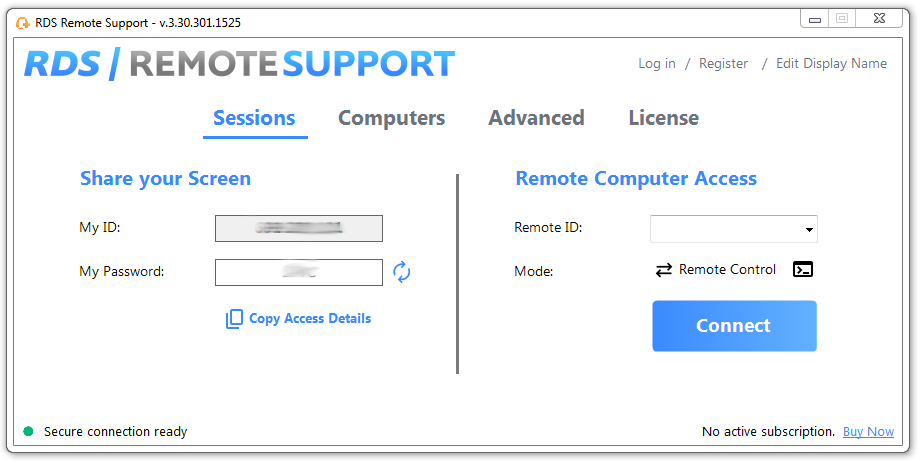
RDS Remote Support Free Trial
Cost-effective Attended and Unattended Remote Assistance from/to macOS and Windows PCs.

)


)
)
)
)
